How to Sell Canva Templates: A Guide for Coaches
If you’re wondering how to sell Canva templates online, coaching templates are a great place to start. Coaches use worksheets, workbooks, planners, social media graphics, lead magnets and client resources every day, which creates plenty of opportunities to turn your Canva designs into digital products.
I started selling digital products on Etsy as part of my own online business, and over the years my shop has grown to more than 28,000 sales. Canva templates have been a big part of what I create and sell.
In this guide, I’ll show you how to create Canva templates to sell, what types of templates you could create, where to sell them and how to get started. You can also browse my coaching template shop to see the types of digital resources I create and sell.
How I Started Selling Canva Templates
I started selling digital products online in 2016. What began with creating useful resources grew into an Etsy shop that has now made more than 28,000 sales.
Over the years, I’ve created and sold worksheets, workbooks, planners, courses and editable Canva templates. One of the biggest things I’ve learned is that a successful digital product usually starts with something very simple: a specific resource that helps a specific person do something they already want to do.
For coaches, that could be a goal-setting workbook for clients, a coaching exercise, a planner, a workshop workbook or a set of social media templates.
That’s what makes learning how to sell Canva templates so useful. You can take your knowledge, turn it into a practical digital resource and sell the same product to more than one customer.

How Much Can You Make Selling Canva Templates?
How much you can make selling Canva templates depends on what you create, how you price your products and how many people you reach.
You could sell a single worksheet for a few pounds, create a larger workbook at a higher price, or bundle several related templates together into a toolkit. You can also create collections around a specific topic, such as goal setting, confidence, relationships or career coaching.
One of the benefits of digital products is that you create the product once and can sell it many times. As your collection grows, you also have more opportunities to create bundles and encourage customers to buy several related products.
For me, this became a significant part of my business. My Etsy shop has now made more than 33,000 sales, so I’ve seen first-hand how a growing collection of digital products can build over time.
Why Canva Works So Well for Creating Templates
Canva makes it easy to turn your ideas into polished digital products. You can create worksheets, workbooks, planners, checklists, social media templates and other resources using its drag-and-drop editor.
It’s particularly useful when you want to sell editable templates. You can create the original design in Canva and give your customer a template link so they can open their own copy and customise it.
For coaches, this opens up plenty of possibilities. You could create client worksheets, coaching workbooks, planners, lead magnets, workshop materials or business templates.
You can also create a consistent look across a whole collection, using the same fonts, colours and design style. This makes it much easier to build a recognisable range of digital products as your shop grows.
What Canva Templates Can You Sell?
There are plenty of Canva templates you can create and sell, especially if you already understand the type of resources your audience uses.
For coaches, some ideas include:
- Coaching worksheets and exercises
- Client workbooks
- Goal-setting planners
- Journals and reflection prompts
- Checklists
- Workshop and course workbooks
- Lead magnet templates
- Social media templates
- Presentation slides
- Welcome packs and client documents
- Business planners
- Content planners
Start with a specific purpose rather than trying to create something for everyone. For example, a general coaching workbook is quite broad. A 30-day goal-setting workbook for coaching clients immediately tells the buyer what it is, who it is for and how they could use it.
You can then build related products around the same topic. A goal-setting worksheet could grow into a workbook, planner, card deck or complete coaching toolkit.
Where Can You Sell Canva Templates?
There are several places you can sell Canva templates online. The right choice depends on where your audience already shops and how much control you want over the selling process.
Etsy is where I started, and it can be a good option because people are already searching there for digital products. Your product can appear when someone searches for the type of template you sell, which gives you another way to reach buyers.
You can also sell templates through your own website. This gives you more control over your products, pricing and customer experience. It also means you can use your blog, Pinterest and email list to send people directly to your products.
Many sellers use both. Etsy can help people discover your products through search, while your website gives you your own place to build a larger collection.
Whichever route you choose, make it very clear what the buyer receives, how they access the Canva template and what they are allowed to do with it.
How to Price Your Canva Templates
There isn’t one price that works for every Canva template. A simple worksheet and a 40-page workbook offer very different levels of content, so the price should reflect what the buyer receives.
When deciding on a price, think about the value and usefulness of the finished product, rather than the number of hours it took you to create it.
Look at things such as:
- How much content is included
- How specialised the template is
- Whether the buyer can edit it
- Whether it saves the buyer significant time
- Whether you are selling one template or a bundle
- What similar products are selling for
It can also help to look at your products as a collection. A smaller template can be an affordable way for someone to discover your work, while larger workbooks, bundles and template libraries can sit at higher price points.
As you make sales, you’ll start to see which products attract buyers and which price points work best for your audience.
How to Create Canva Templates People Want to Buy
A good Canva template starts with the buyer rather than the design.
Think about what someone is searching for and what they want to have ready at the end. A coach searching for a goal-setting workbook, for example, wants something they can use with their clients. The design matters, but the content and usefulness of the resource matter just as much.
Before creating a new template, ask yourself:
- Who is this for?
- What will they use it for?
- What needs to be included?
- How can I make it easy for them to edit and use?
- What would make this more useful than a basic template they could create themselves?
Keep the layout consistent throughout and make editable areas easy to understand. If the template includes several pages, use the same fonts, headings, spacing and design elements across the whole product.
The aim is to create something that feels ready to use while still giving the buyer enough flexibility to make it their own.
How to Get People to Find Your Canva Templates
Creating the template is only part of the process. People also need to find it.
If you sell on Etsy, use the words your ideal customer is searching for in your product title, tags and description. Clear product images also help buyers quickly understand what they will receive.
You can also bring people to your products through Pinterest, blog posts, your email list and social media. One piece of content can continue sending people to a digital product long after you publish it.
Ready to Start Selling Canva Templates?
Learning how to sell Canva templates becomes much easier once you have created your first product and worked through the process for yourself.
Start with one useful template for a specific audience, create a simple way to deliver it, and choose where you want to sell it. From there, you can build a collection of related products over time.
If you’d like to see the kinds of digital resources I create, you can browse my template shop here.
Creating Resources for Your Coaching Business?
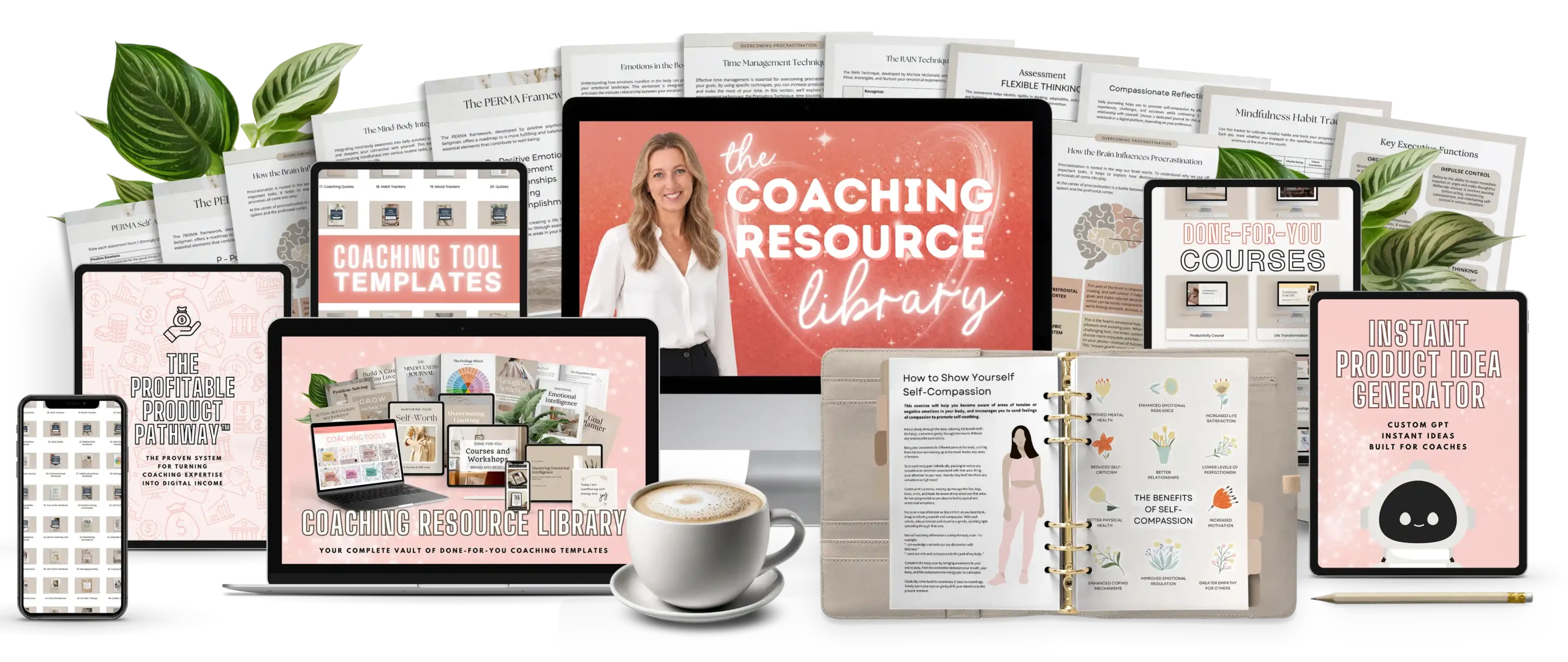
My Coaching Resource Library gives you ready-made resources you can edit, brand and use in your coaching business.
Inside you’ll find coaching courses, workbooks, exercises, client tools and business resources, all in one place with lifetime access.